Pokémon Sun has no New Game button, so you restart by erasing the save. Launch the game, and as soon as the Nintendo 3DS logo appears, press and hold Up on the D-pad, B and X together. Keep holding until the game asks Would you like to delete all saved data?, then choose Yes twice. The erase can't be undone. Pokémon in Pokémon Bank survive it, but Bank is no longer offered for download and shuts down on 25 February 2027 at 7:00 p.m. PST, so move anything you want to keep first.
This page covers Pokémon Sun and Pokémon Moon on Nintendo 3DS, 2DS, New 3DS and New 2DS XL, up to the latest version 1.2. Moon uses the same steps. Ultra Sun and Ultra Moon use the same buttons but are separate games with separate saves. There is no Switch version of these games.
Why there is no New Game button
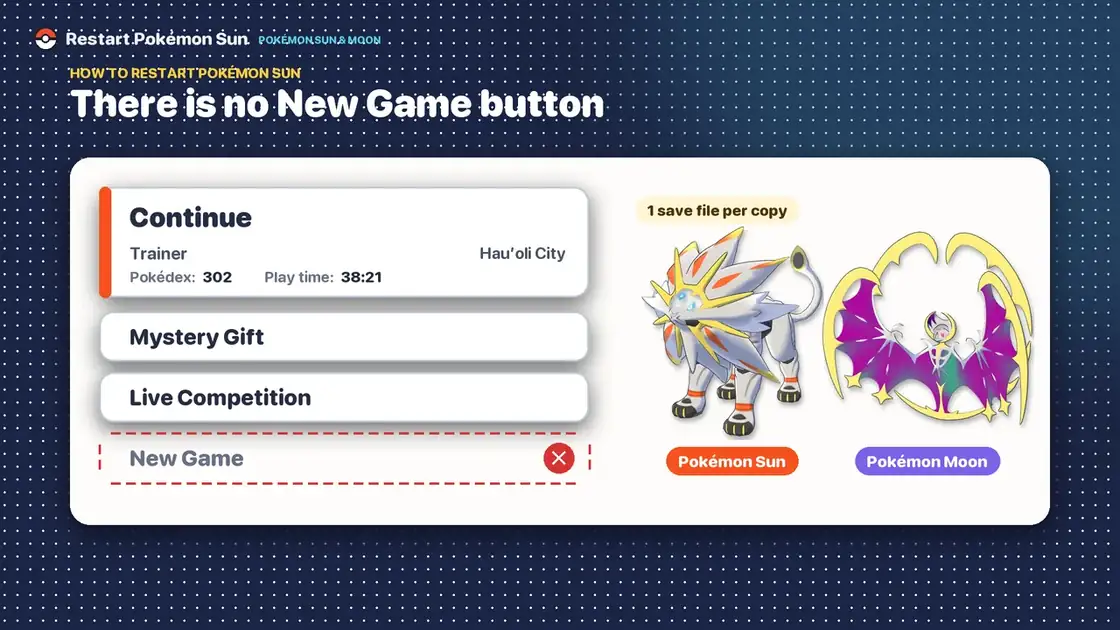
Each copy of Pokémon Sun or Moon holds exactly one save file. Once you have saved, the title menu shows Continue (with your trainer name, current location, Pokédex count and play time), Mystery Gift and Live Competition. There is no New Game entry to pick, which is why the only way to start over is to erase the saved data with a hidden button combination.
Erasing is also how you change your trainer name, your character's base look or your starter. Those are chosen again at the start of the new game. Clothes and hairstyles can be changed in the game without erasing anything.
How to erase your save and restart
- Close the game if it's running, and launch Pokémon Sun or Moon from the HOME Menu.
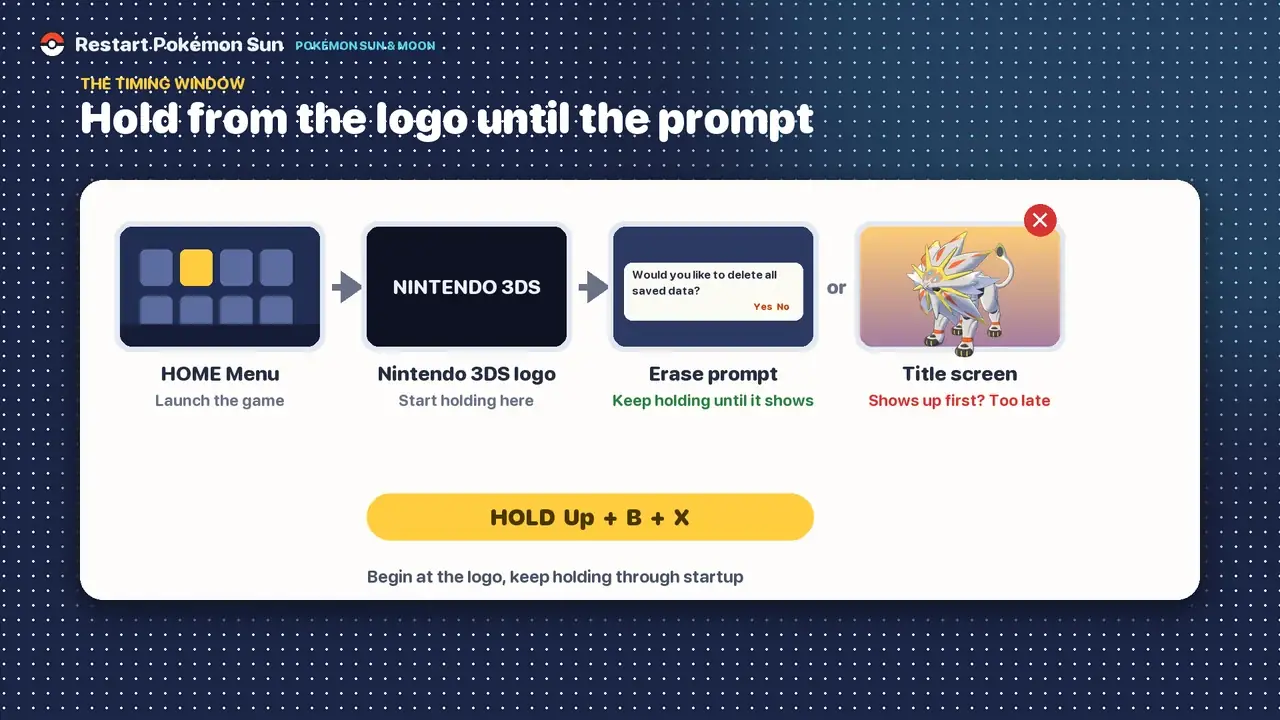
- Watch the top screen. As soon as the Nintendo 3DS logo appears, press and hold Up on the D-pad + B + X at the same time. The window closes when the game's title screen appears.
- Keep all three buttons held while the game starts up. Don't let go until the erase prompt appears.
- When the game asks Would you like to delete all saved data?, choose Yes.
- Read the final warning and choose Yes again only if you're sure. Once the deletion finishes, you can start a new game.
If the title menu appears and no prompt does, you missed the window. Close the software from the HOME Menu and try again, starting the combination earlier.
The timing window
The combination has to be held while the game is booting, starting at the Nintendo 3DS logo. Pressing it once the Solgaleo title screen (Lunala in Moon) is already showing is a common reason it does nothing.
The buttons
| Button | Counts? | Note |
|---|---|---|
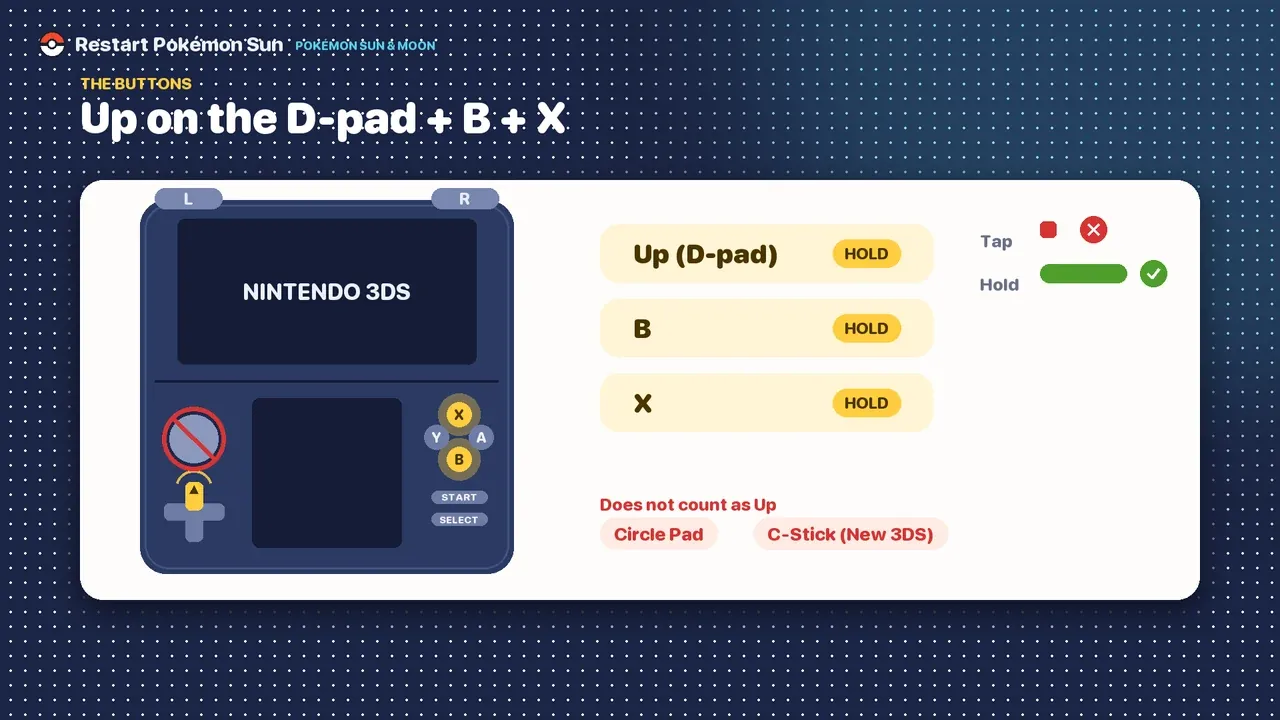
| Up on the D-pad | Yes | Press and hold the top of the cross |
| B | Yes | Bottom face button |
| X | Yes | Top face button |
| Circle Pad | No | Pushing it up is not the same as D-pad Up |
| C-Stick (New 3DS) | No | Doesn't count as Up either |
The two confirmation prompts
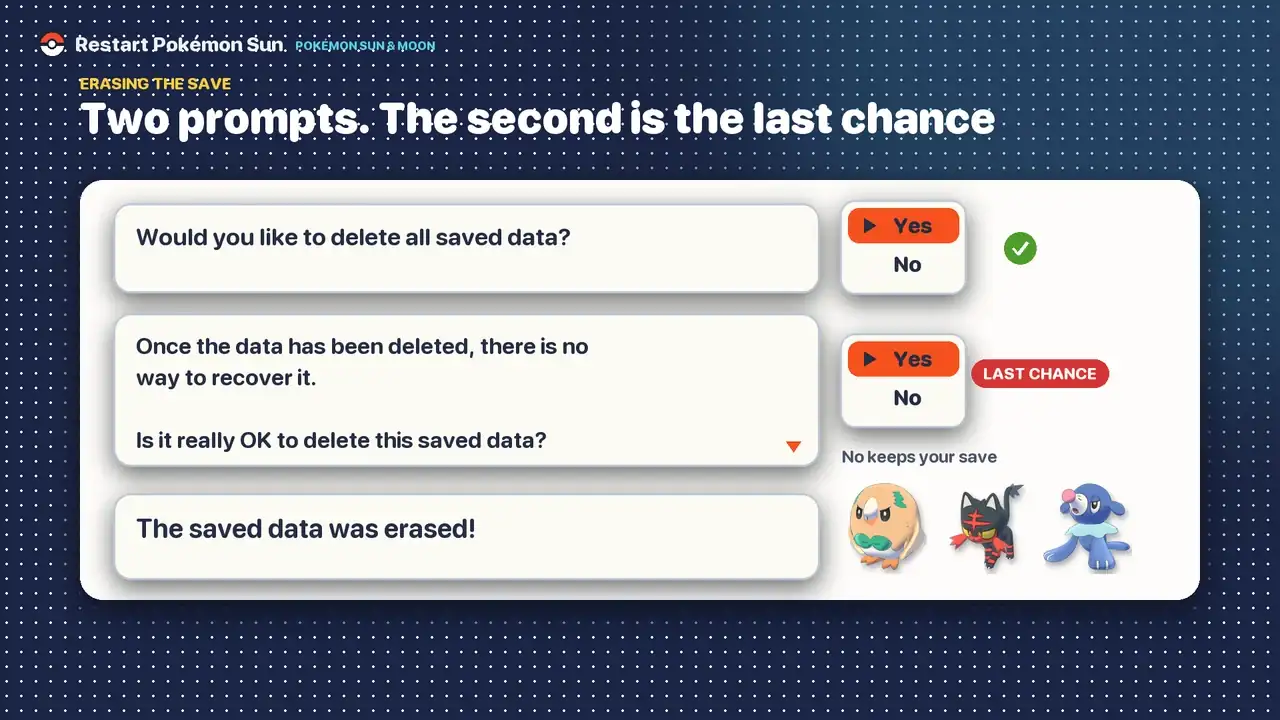
The game asks twice. You can back out at either prompt by choosing No, and your save stays untouched.
| Prompt | What the game says | Your choice |
|---|---|---|
| 1 | Would you like to delete all saved data? | Yes to continue, No to cancel |
| 2 | Once the data has been deleted, there is no way to recover it. Is it really OK to delete this saved data? | Last chance: Yes erases the save |
| After | Initializing the saved data... Please don’t turn off the power. The game also shows: The saved data was erased! | Wait for it to finish |
Move what you want to keep first
Once you answer Yes the second time, nothing in the old save comes back on a standard 3DS. Check these before you start.
| You want to keep | How |
|---|---|
| Pokémon | Pokémon Bank, if you already have it on your 3DS, or a local wireless trade to another 3DS (trade them back after you restart) |
| Ordinary held items | Give them to a Pokémon, then trade it to another 3DS over local wireless |
| Everything else in the bag, TMs and Z-Crystals | These stay in the old save. A Z-Crystal is removed when its holder is traded |
| A gift you haven't collected | Pick it up from the deliveryman in any Pokémon Center, then move the Pokémon or item like any other |
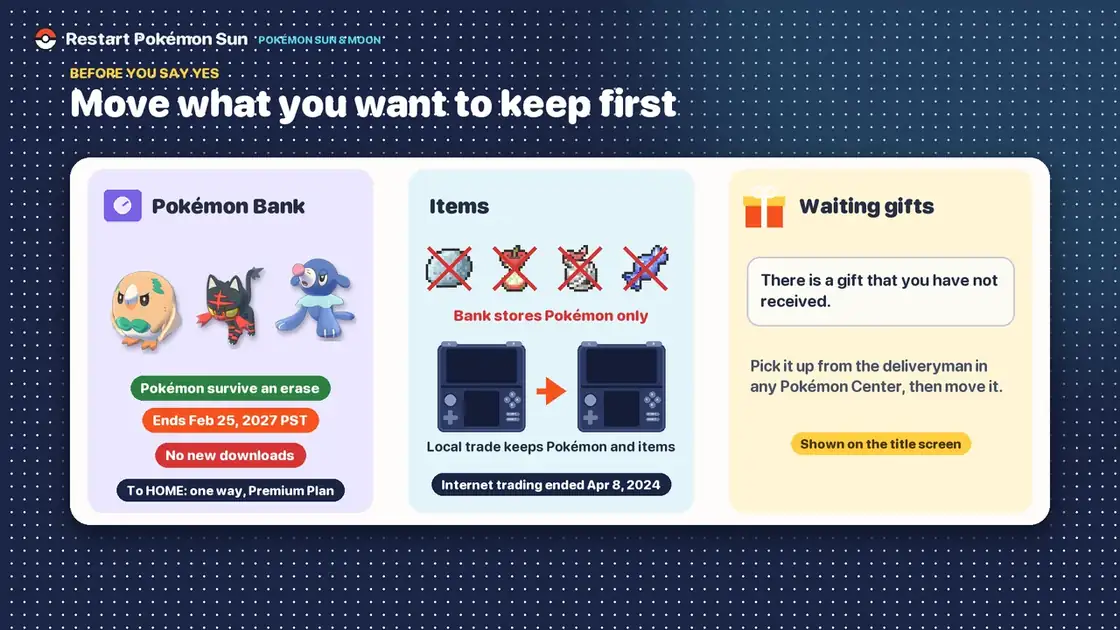
Pokémon Bank
Pokémon stored in Pokémon Bank are kept on Nintendo's servers, so they survive an erase and can be brought into your new save once it is far enough along to use Bank. Bank is not currently available to download, so this works if you already have it on your 3DS. Bank and Bank-to-Pokémon HOME transfers end on 25 February 2027 at 7:00 p.m. PST. Before then, send your Pokémon on to Pokémon HOME, or bring them back into a compatible 3DS save. The move to HOME is one way: those Pokémon can't return to Bank or to Sun and Moon, and the transfer needs a Pokémon HOME Premium Plan.
Items and held items
Bank stores Pokémon only. When you deposit a Pokémon, its held item goes back to the bag of the old save, and the bag disappears when you erase it. To keep a Pokémon without Bank, or an ordinary held item, trade the Pokémon to a second 3DS over local wireless. Z-Crystals can't be moved this way. Internet trading, including the GTS and Wonder Trade, ended on 8 April 2024, but trading between two nearby systems still works. The Alolan Graveler guide walks through a local trade step by step.
Waiting Mystery Gifts
If the title screen says There is a gift that you have not received, load the game and pick the gift up from the deliveryman in any Pokémon Center before you erase, then move the gift Pokémon or item the same way as the rest. Gifts that haven't been collected go with the save.
What the erase deletes and what stays
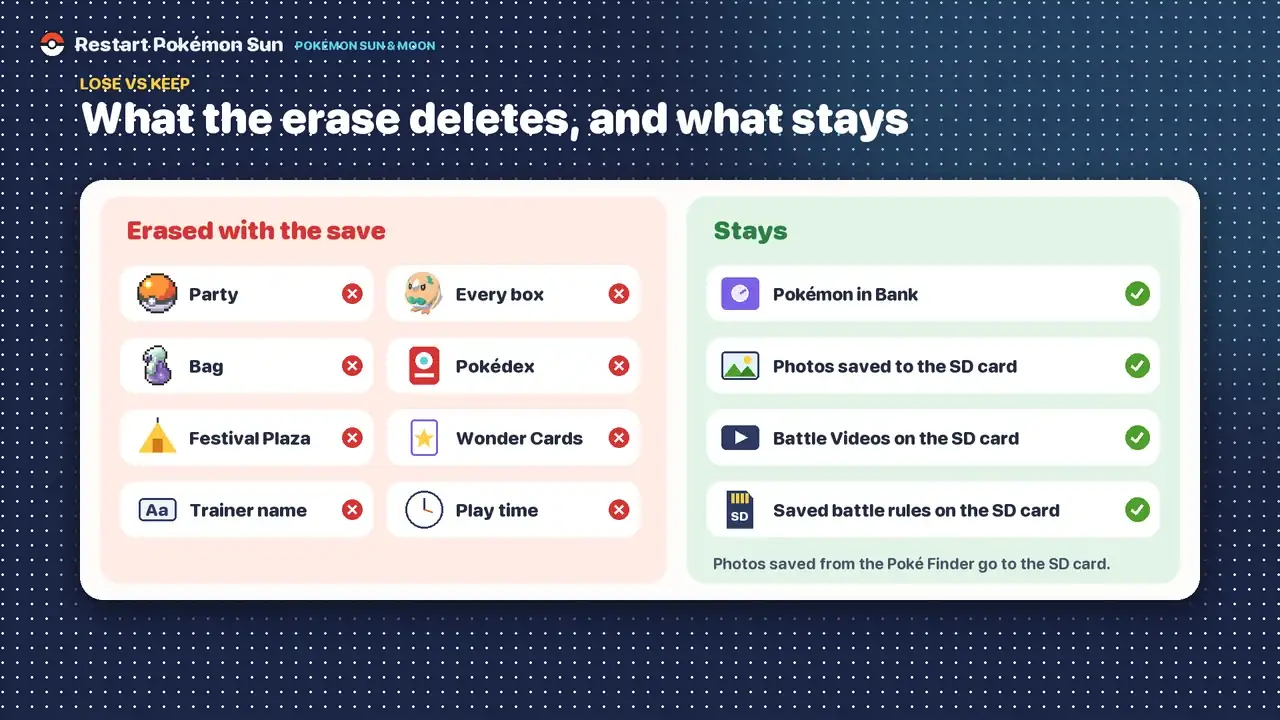
Erased with the save
- Your party and every Box
- The bag, Z-Crystals and TMs
- Pokédex progress
- Festival Plaza
- Wonder Cards in the Card Album
- Trainer name, look and play time
Stays
- Pokémon already in Pokémon Bank
- Photos you saved to the SD card from the Poké Finder
- Battle Videos stored on the SD card
- Battle rules saved on the SD card
Battle Videos and downloaded battle rules are stored on the SD card as extra data. If you also want a completely clean start, open System Settings, choose Data Management, then Nintendo 3DS, then Extra Data and select Pokémon Sun / Moon. Sun and Moon share this entry, so deleting it removes the Battle Videos and battle rules for both games. The Poké Finder photos you saved are kept with your other 3DS photos, so you can delete them from the Nintendo 3DS Camera.
Up + B + X did nothing
- You started too late. The title menu was already on screen. Close the game and begin holding at the Nintendo 3DS logo.
- You used the Circle Pad. Use Up on the D-pad. The Circle Pad and C-Stick don't count.
- You tapped instead of holding. Keep all three buttons down until the prompt appears.
- You pressed after the menu appeared. Continue, Mystery Gift and Live Competition mean the window has passed.
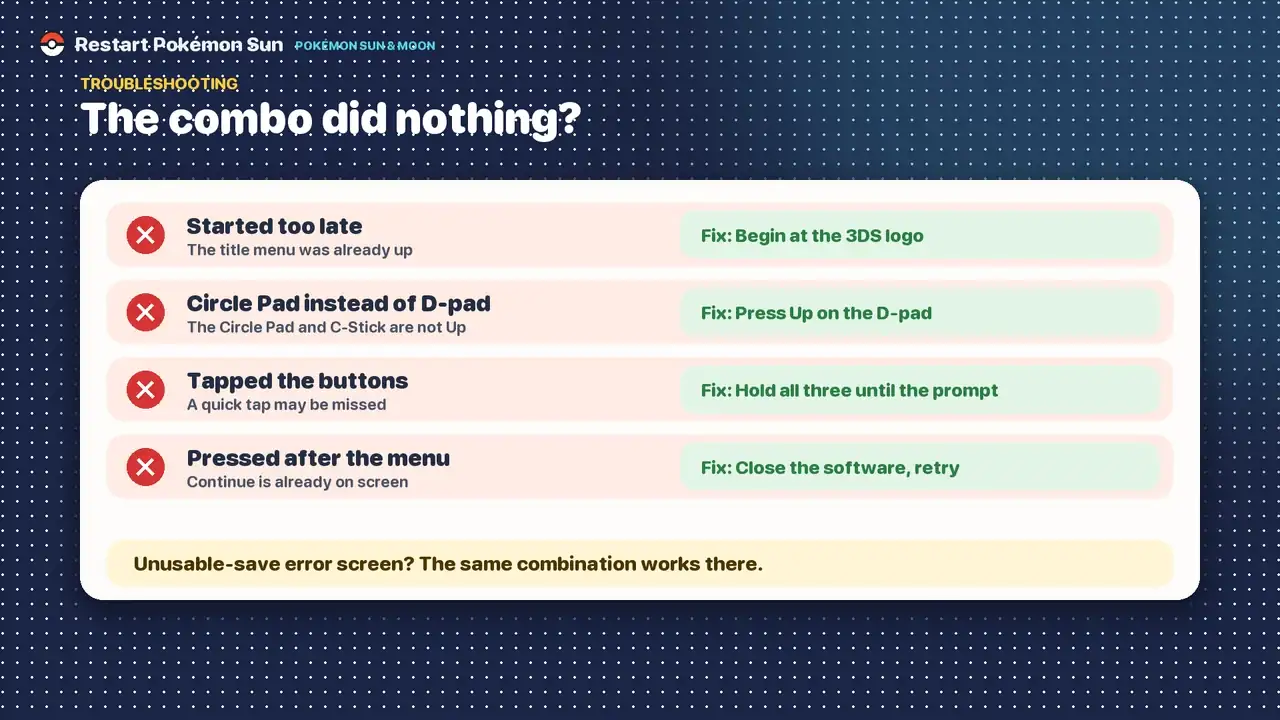
If the game starts with a message that the save data is unusable, the same combination works on that screen, and you can follow the prompts from there.
A soft reset is not a restart
Holding L + R + Start (or L + R + Select) returns you to the title screen. It doesn't touch your saved data, so it never starts a new game, and any progress you hadn't saved is lost. Shiny hunters use it to see an encounter again, but it doesn't raise the shiny chance of each attempt. Don't use it while the game is saving.
| Soft reset | Erase the save | |
|---|---|---|
| Buttons | L + R + Start or Select | Up + B + X |
| When | Any time in the game, except while saving | From the Nintendo 3DS logo at launch |
| Result | Back to the title screen | Save deleted |
| Save kept | Yes | No |
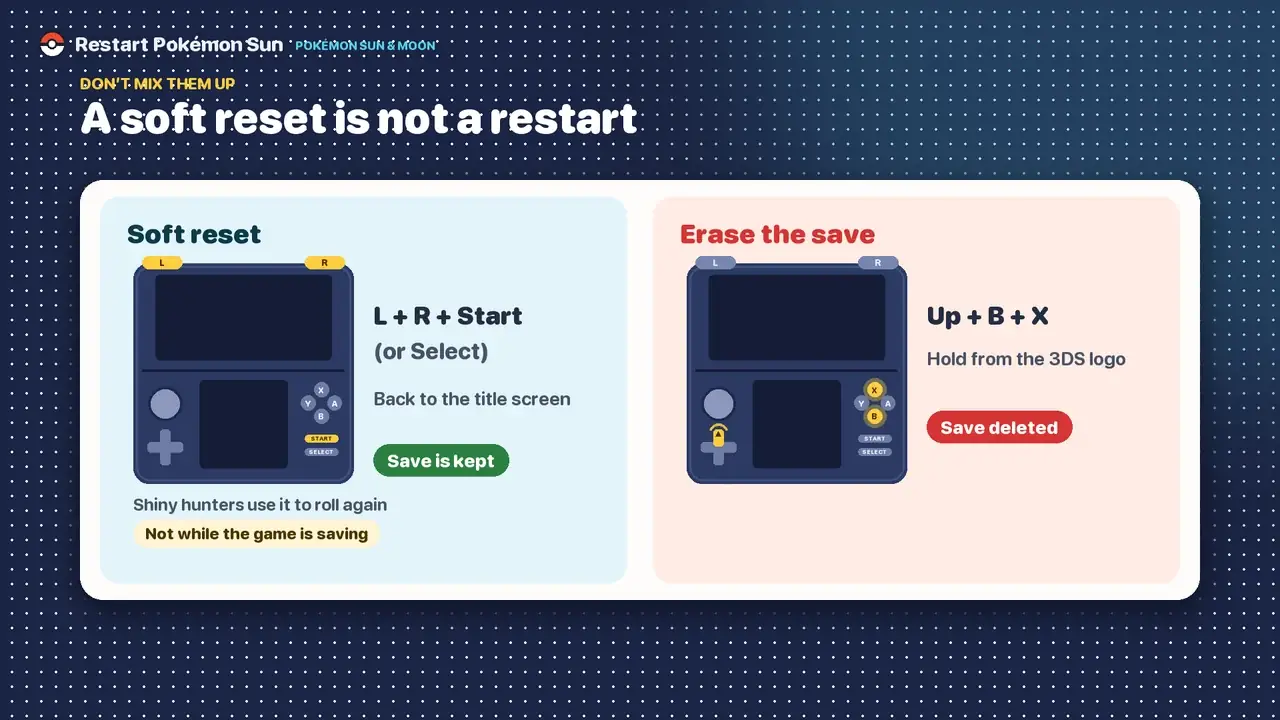
If you lost a legendary Pokémon or a rare catch, you don't need to erase anything. Soft reset and reload your last save, as long as it was made before the encounter. Saving right before a one-time encounter keeps that option open.
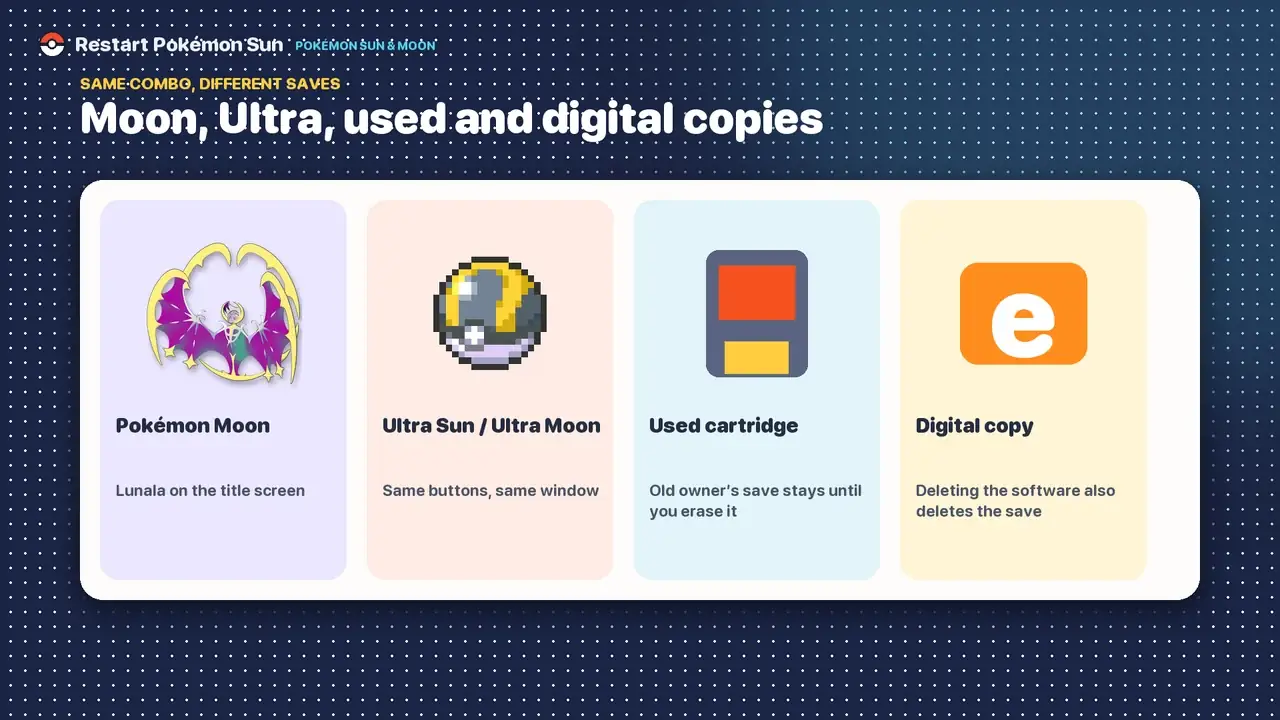
Moon, Ultra Sun, used cartridges and digital copies
- Pokémon Moon: identical steps. The title screen shows Lunala instead of Solgaleo.
- Ultra Sun and Ultra Moon: the same buttons and the same window. A Sun save can't be loaded in Ultra Sun, so erasing Sun doesn't affect your Ultra save. The Sun vs Ultra Sun guide covers the differences.
- Used cartridge: the previous owner's save stays on the card until you erase it. Use the same combination to clear it.
- Digital copy: deleting the software in System Settings deletes its save data as well, so use the in-game combination instead if you only want a new game.
Can you undo an erase?
No. After you confirm the second prompt, a standard 3DS has no way to bring the save back. Choose No at the second prompt if you have any doubt.
After you restart
The new game begins with the intro, a new trainer name and look, and a choice between Rowlet, Litten and Popplio. The starter evolutions guide shows what each one becomes. To plan which Pokémon to hunt, see the Alola Pokédex list. The walkthrough tracker then follows the new run stop by stop.
Frequently asked questions
How do I start a new game in Pokémon Sun?
Erase your save. Launch the game, hold Up on the D-pad + B + X from the Nintendo 3DS logo until the erase prompt appears, and choose Yes twice.
What buttons restart Pokémon Sun?
Does Pokémon Sun have two save files?
No. Each copy holds one save file, and there is no New Game Plus.
Will Pokémon Bank keep my Pokémon if I restart?
Yes. Pokémon in Bank are stored on Nintendo's servers and survive an erase. Bank is no longer offered for download and ends on 25 February 2027 at 7:00 p.m. PST.
Do items and Festival Plaza survive an erase?
No. Your bag, held items and Festival Plaza are part of the save. A held item can only be kept by trading the Pokémon to another 3DS over local wireless.
Do my Poké Finder photos get deleted?
Photos you saved to the SD card from the Poké Finder aren't part of the game save, so they stay.
How do I soft reset Pokémon Sun without deleting my save?
Hold L + R + Start (or Select). The game returns to the title screen and the save is kept.
Is the combination the same in Moon and Ultra Sun?
Yes. Pokémon Moon, Ultra Sun and Ultra Moon all use Up + B + X from the Nintendo 3DS logo.